Digital Address Verification (DAV)

Designing a Progressive Web App for low-friction, remote address verification

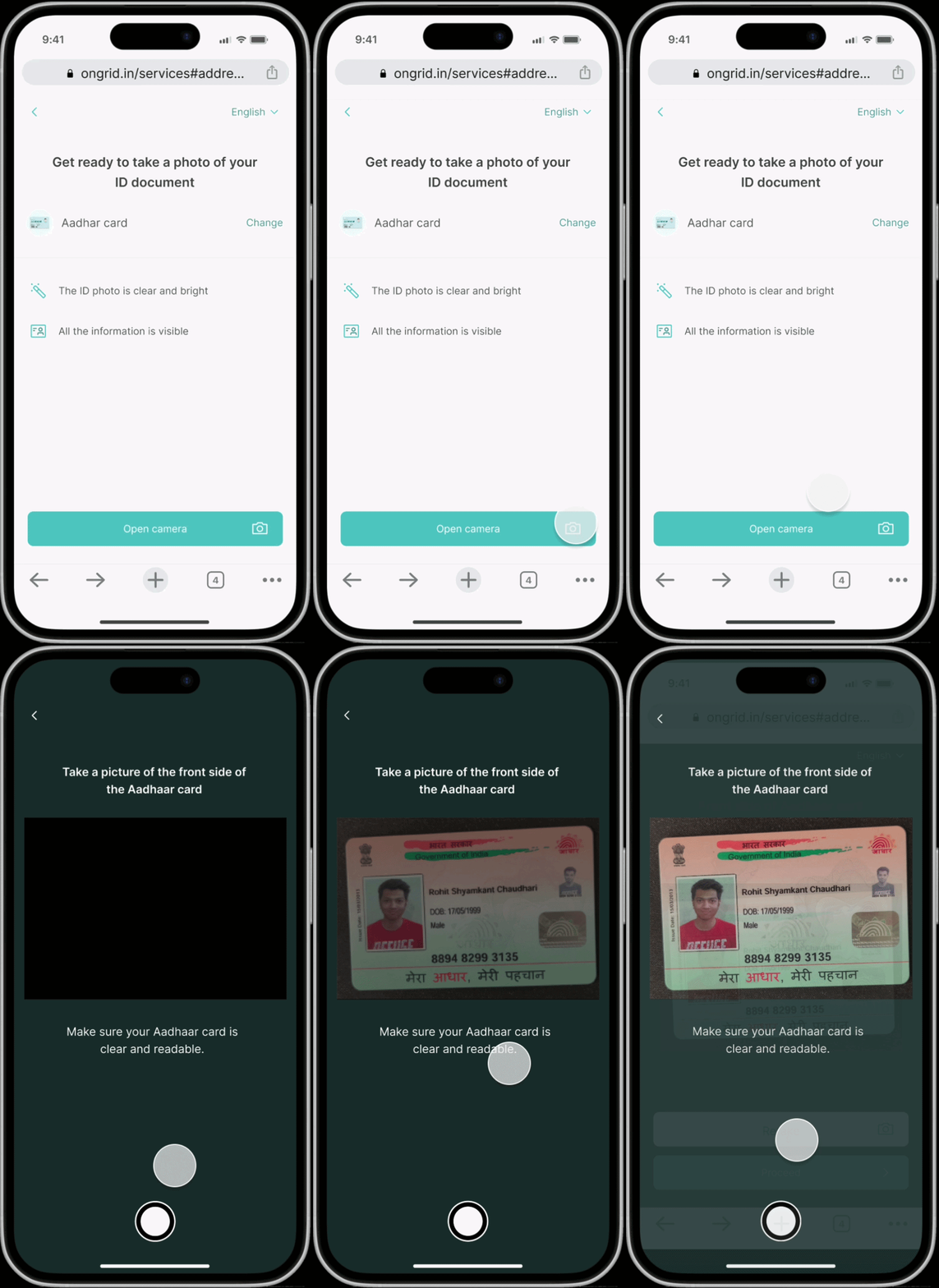
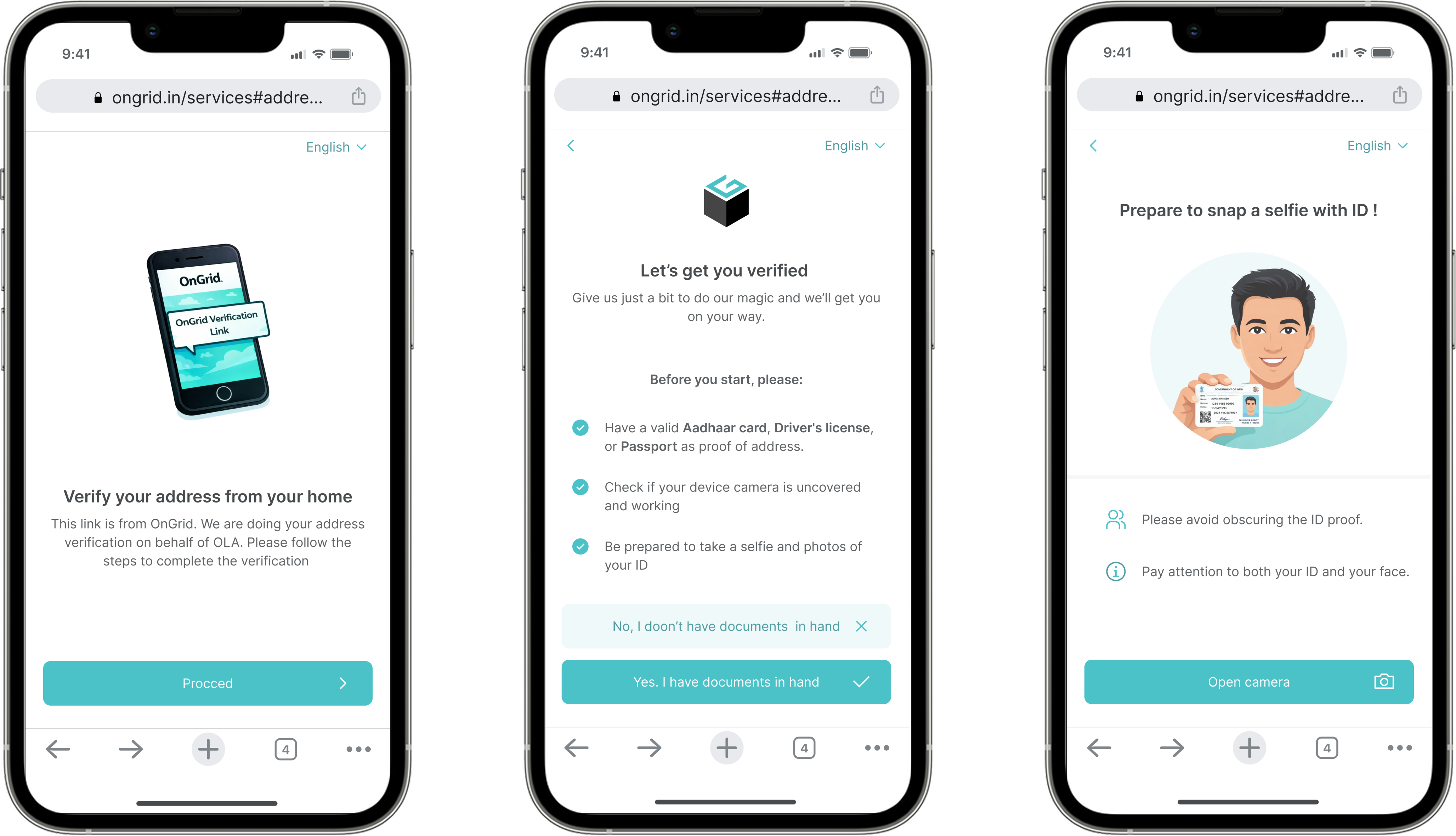
DAV App Screenshots

Context

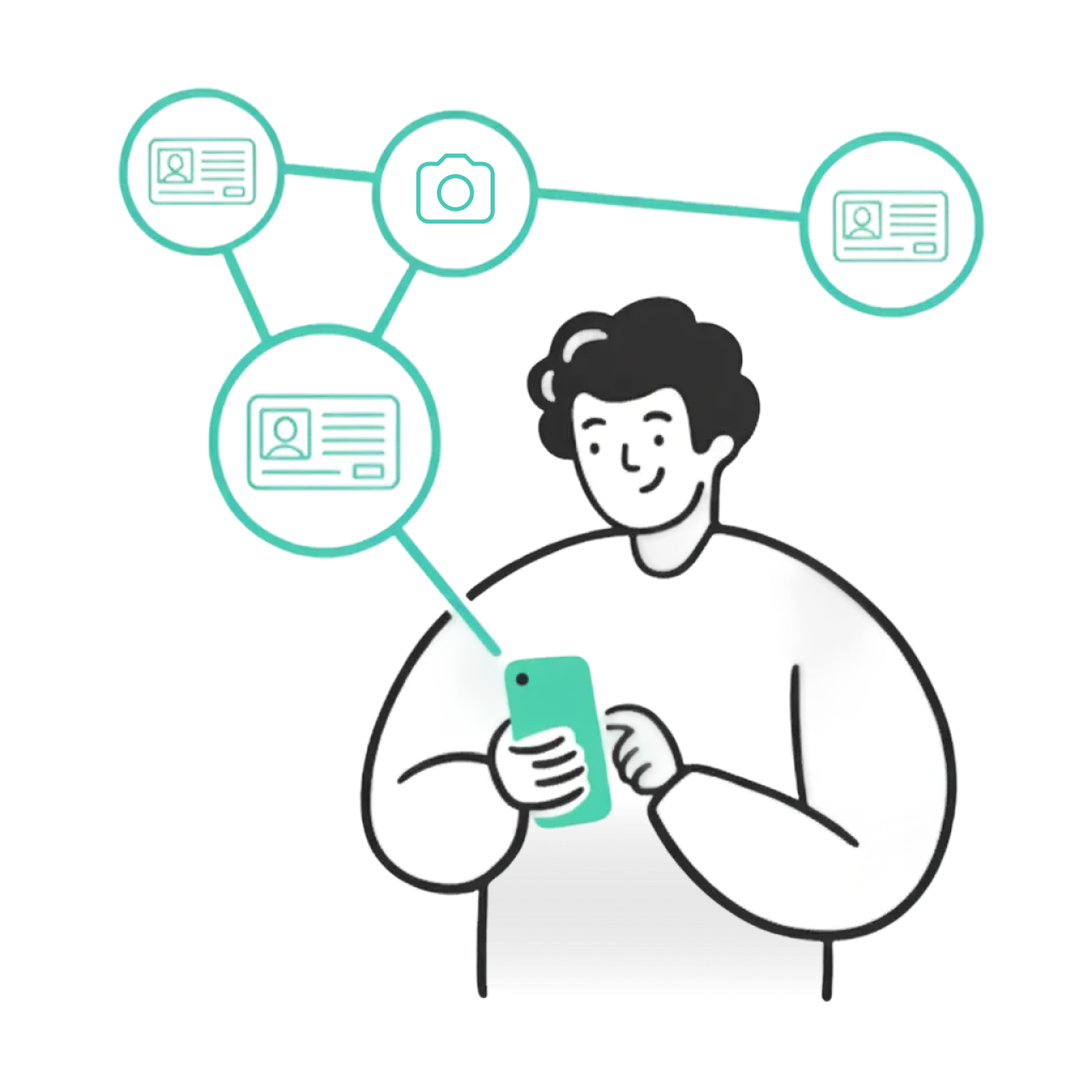
During the COVID period, physical address verification became difficult as in-person visits were restricted. To ensure that address verification could continue without delays, OnGrid introduced Digital Address Verification (DAV).

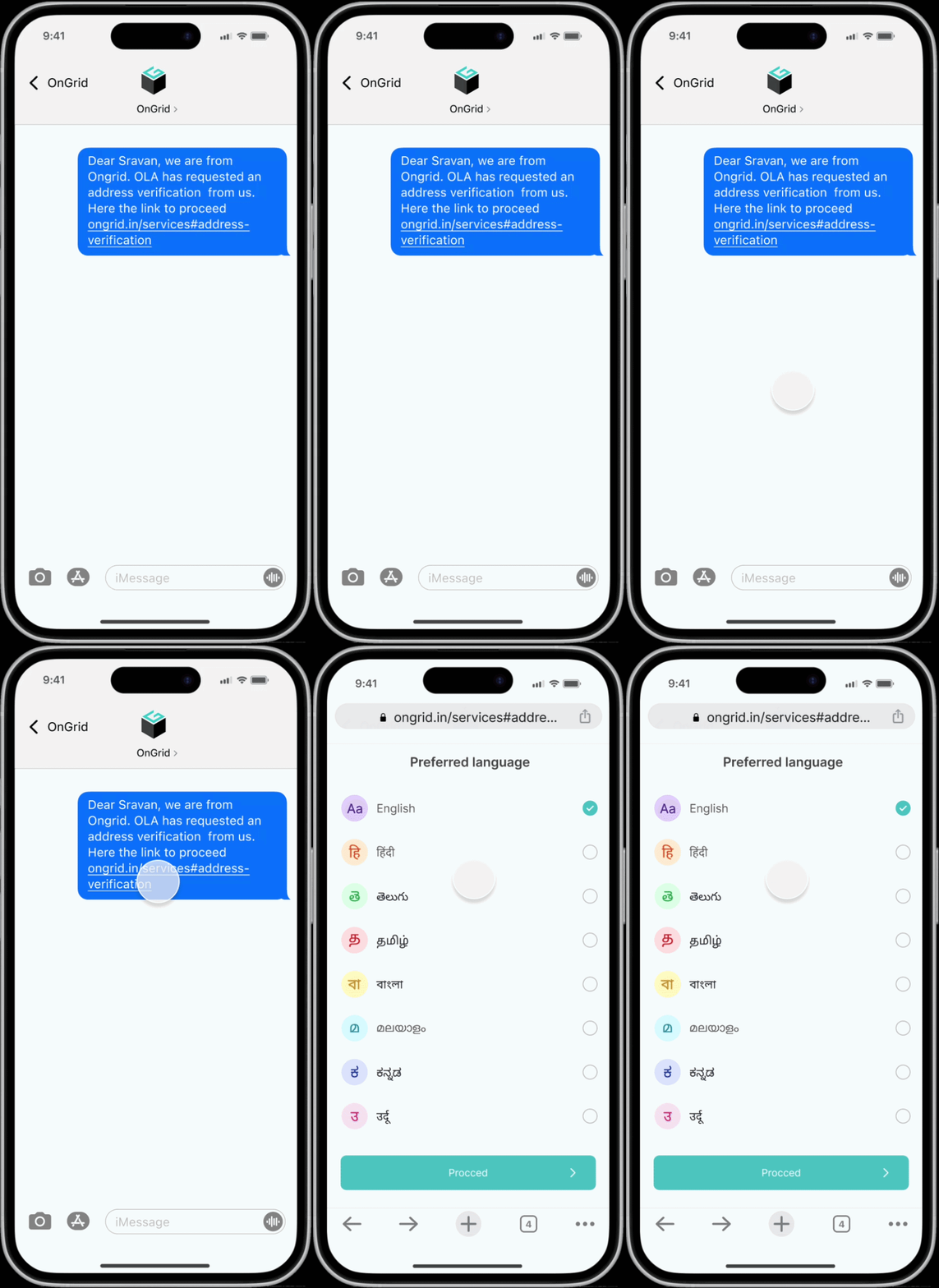
DAV was designed as a Progressive Web App (PWA), where candidates receive a secure verification link via SMS. The link opens directly in the mobile browser, allowing users to complete the verification process without installing any application.

The goal was to create a verification experience that works reliably across:

  • Different phone types
  • Varying internet quality
  • Users with limited digital familiarity

Problem I Was Solving

Moving address verification to a web-based experience introduced several challenges:

Location Verification

Location Verification

We have to make sure individual is available at provided address while carrying out digital address verification

ID Document Capture

ID Document Capture

The process involves sensitive steps such as capturing ID documents and selfies

Language Barriers

Language Barriers

Many users are not fluent in English and may be unfamiliar with multi-step digital forms

The core problem I focused on was:

How can a browser-based verification experience feel simple, safe, and guided—especially for first-time users?

My Role

I worked as the sole designer, collaborating with a product manager and two developers. I was responsible for:

  • Designing the end-to-end verification experience
  • Structuring the PWA flow
  • Making camera and permission interactions understandable
  • Designing for accessibility and low-bandwidth conditions

Key Design Decisions & Rationale

I worked as the sole designer, collaborating with a product manager and two developers. I was responsible for: Designing the end-to-end verification experience Structuring the PWA flow Making camera and permission interactions understandable Designing for accessibility and low-bandwidth conditions

Progressive Web App via SMS Link

PWA SMS Link Flow

Decision

DAV is accessed through an SMS link that opens in the device's default browser, instead of requiring an app download.

Rationale

Many users have limited storage, slow internet, or older phones. Requiring an app install would add friction before the process even begins.

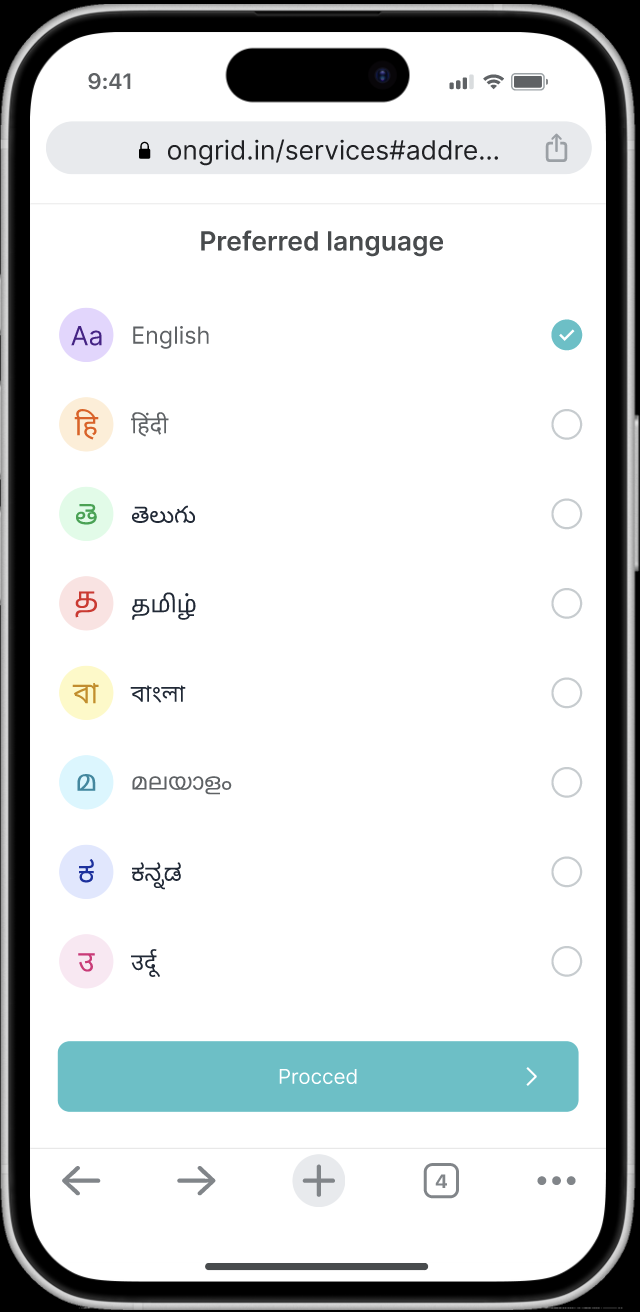
Language Selection at Entry Point

Language Selection

Decision

Users are asked to select their preferred language immediately after opening the link.

Rationale

Since instructions involve sensitive actions (ID capture, selfie, home video), understanding is critical.

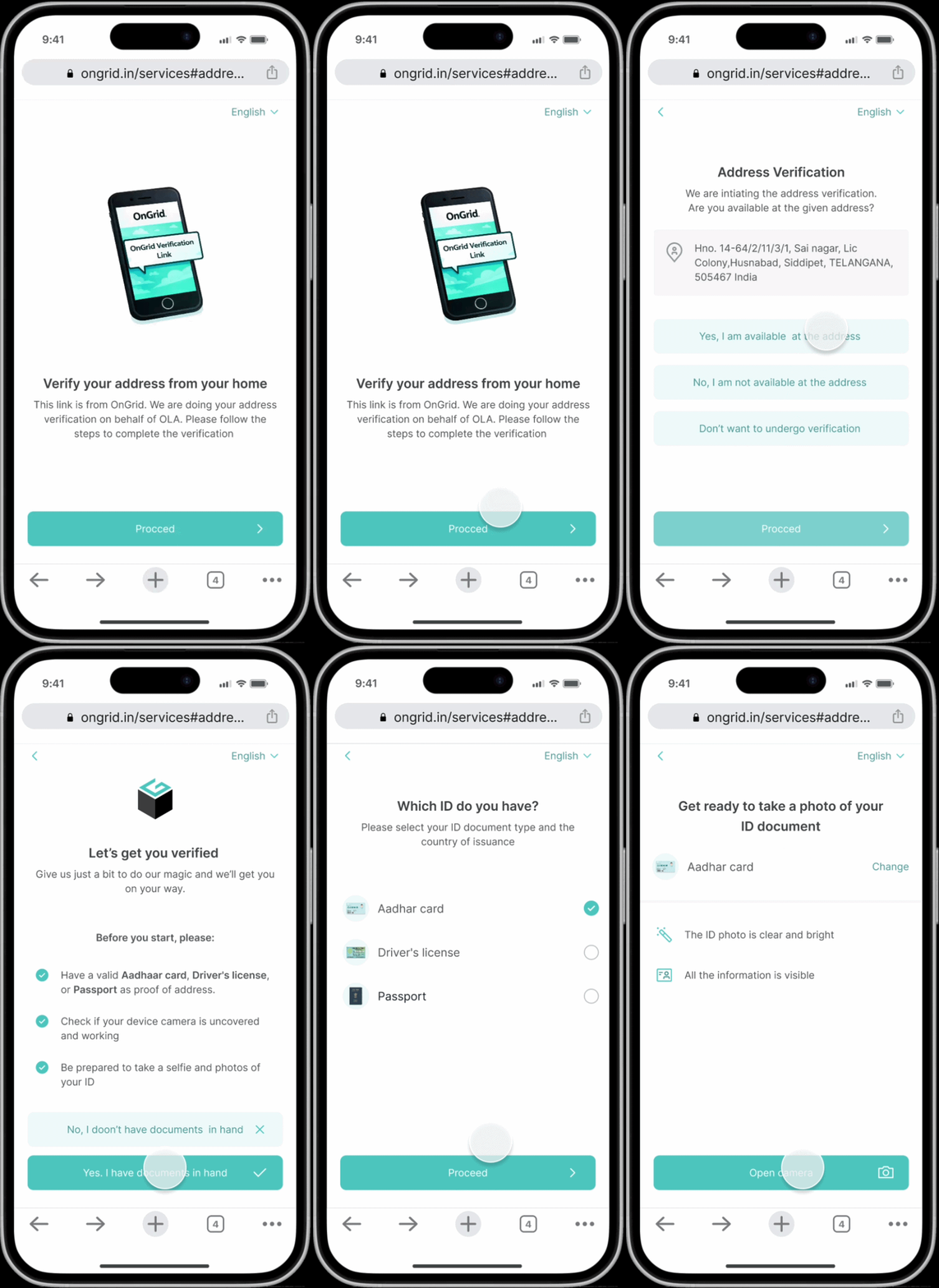
Guided Linear Flow (Progressive Disclosure)

Guided Linear Flow

Decision

The entire verification process follows a linear, step-by-step flow, revealing only one task at a time.

Rationale

Many users are unfamiliar with digital verification flows. Showing multiple steps or options at once increases confusion and abandonment.

Clear Instructions for Camera-Based Tasks

Camera Instructions

Decision

Users can preview and re-capture images before final submission.

Rationale

In a high-stakes flow involving personal documents, users need reassurance and control.

Reflection

Designing DAV as a Progressive Web App highlighted how interaction design choices become even more critical when technical affordances are limited.

Since users are operating inside a browser:

  • Trust must be earned quickly
  • Instructions must be extremely clear
  • Errors must be prevented, not explained later

This project reinforced my interest in Human–Computer Interaction, particularly in designing for accessibility, trust, and real-world constraints.

Want to see more?

Get in touch.