Token architecture — three layers, one rule
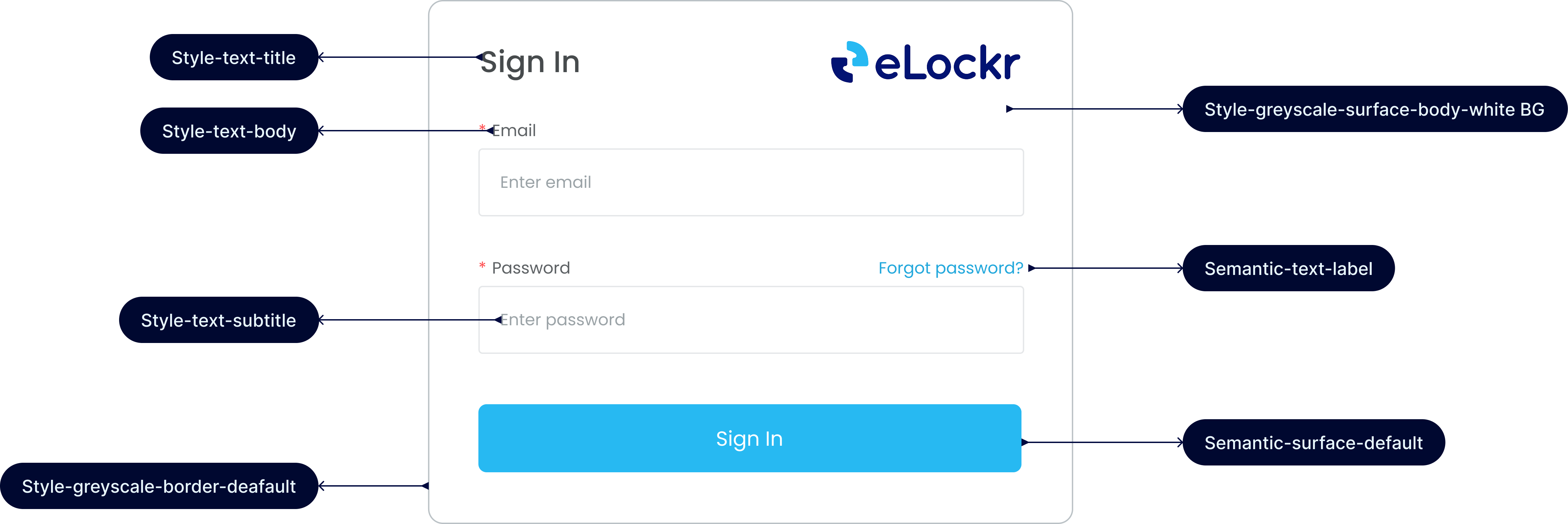
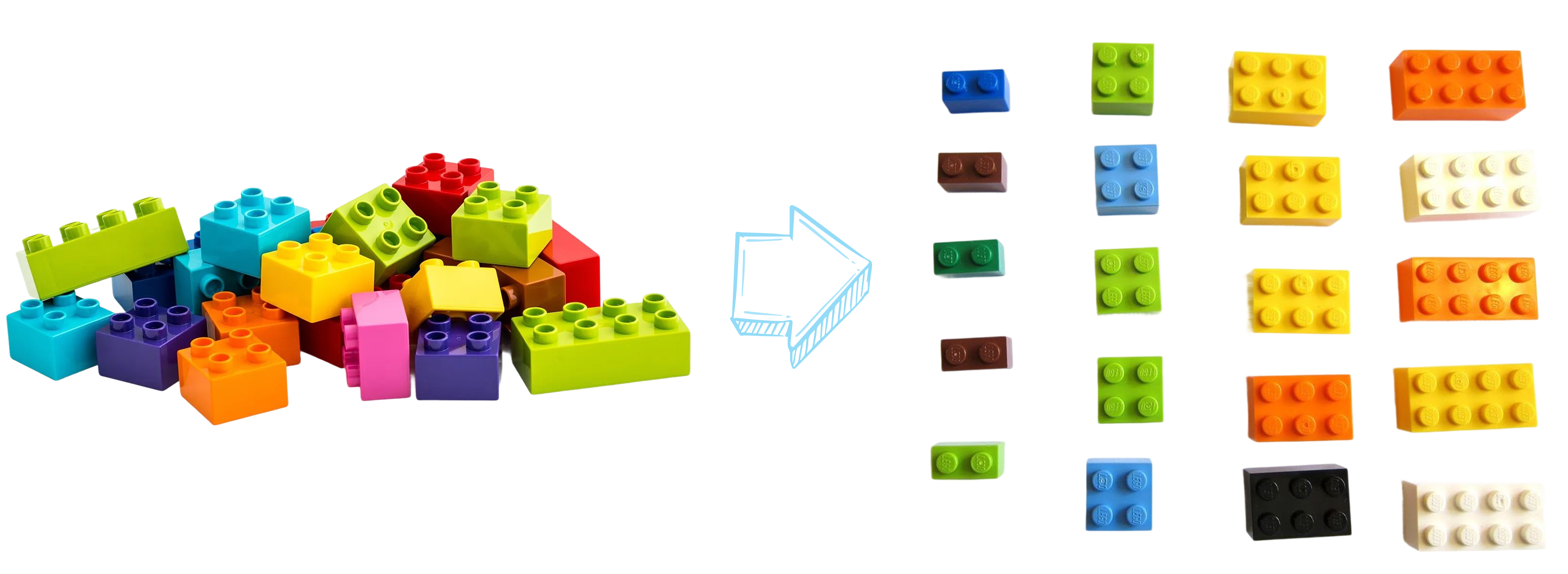
The system is layered. UI never touches primitives directly — it only consumes semantic tokens. This indirection is what makes the system scalable: one change at the top propagates everywhere below it automatically.
| Layer | Example | Rule |
|---|
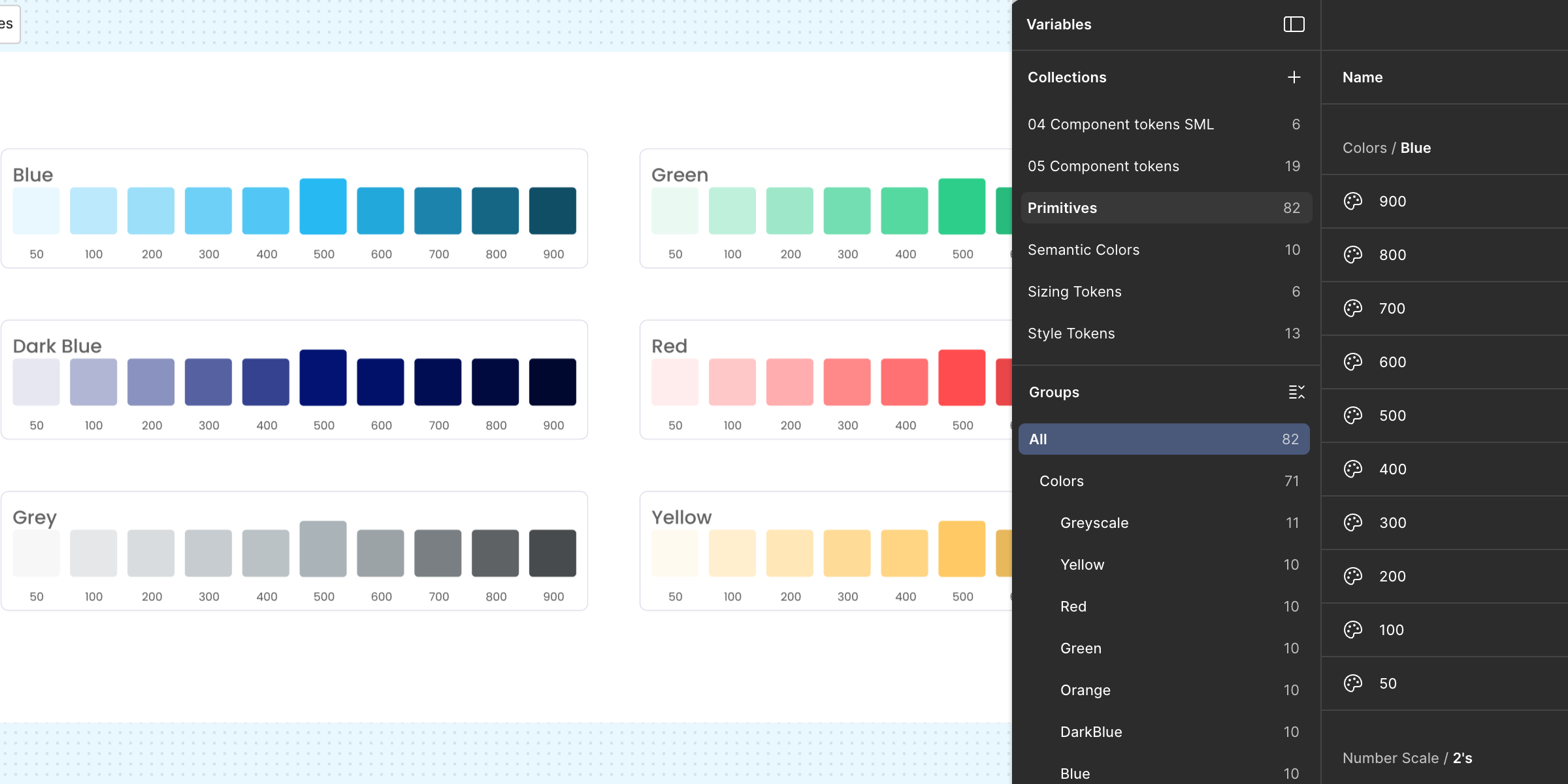
| Primitives | blue/500 · #38B6E8 | Raw values. Used only by token authors — never in designs or components. |
| Semantic tokens | surface/brand/default | Named by intent, not appearance. The only layer UI consumes. |
| Components | Button / Primary / M | Built entirely from semantic tokens. Variants cover state, size, and content. |
| Templates | Dashboard, Data table | Composed only from published components — no local styles anywhere. |
Why this layering? When we stood up the admin portal, it took one afternoon — not a sprint. The user and admin portals share every component; a mode only swaps the top-layer chrome. Because each component already referenced semantic tokens, we mapped those tokens for the admin mode in Figma Variables multi-mode, and everything updated simultaneously.
Colour primitives — 6 ramps, 60 raw values
Six ramps on a 50–900 scale — Blue (brand), Dark Blue (ink/navy), Grey, Green, Red, Yellow. Step 500 is the anchor. Steps 50–100 are tinted surfaces; 200–300 are borders and fills; 600–900 hold WCAG AA contrast for text on light surfaces.
Blue — brand
50
100
200
300
400
500
600
700
800
900
Dark Blue — ink / logo navy
50
100
200
300
400
500
600
700
800
900
Grey
50
100
200
300
400
500
600
700
800
900
Green — success
50
100
200
300
400
500
600
700
800
900
Red — danger
50
100
200
300
400
500
600
700
800
900
Yellow
50
100
200
300
400
500
600
700
800
900
Semantic tokens — intent over value
40+ tokens across three groups: Surface, Border, and Text/Icon. Designers pick by intent — "the danger surface" — never by value. This is the only layer components touch.
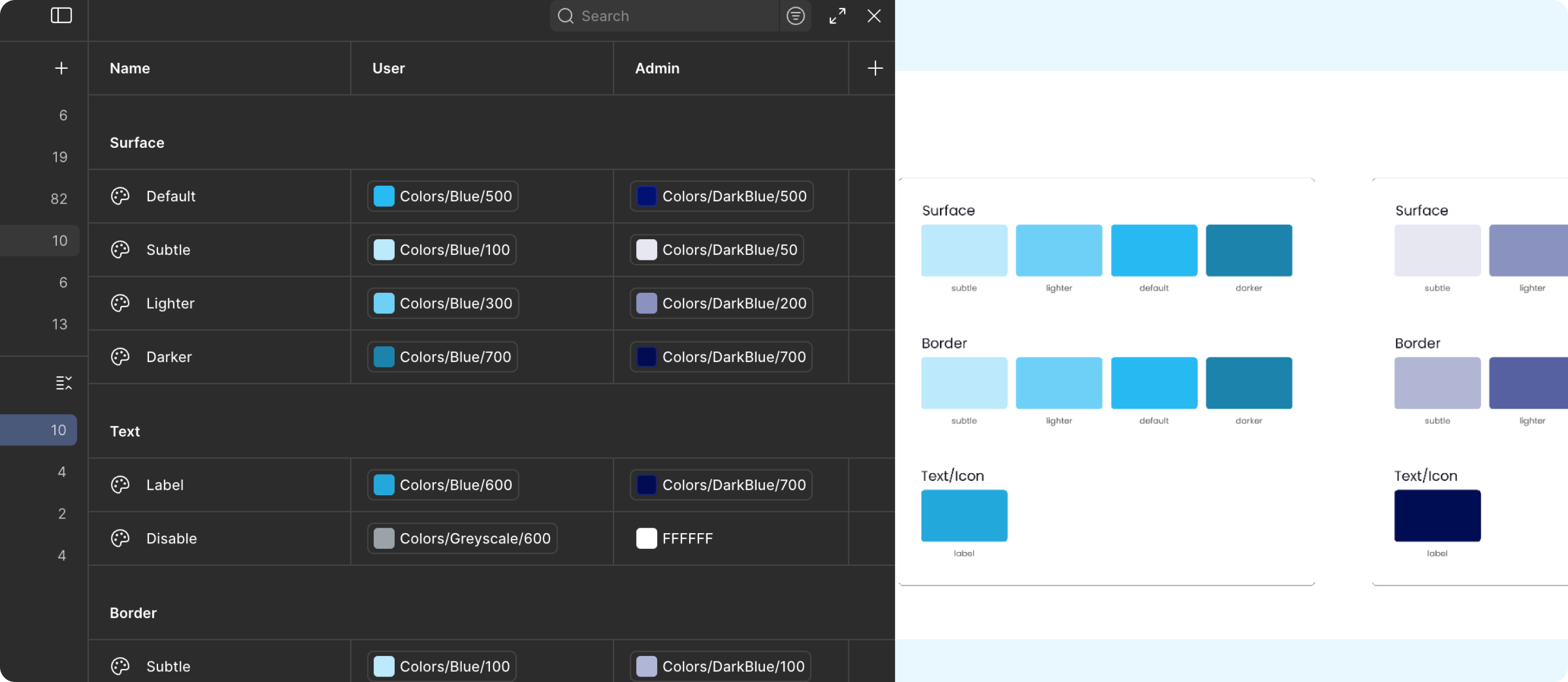
| Token | Maps to | Used for |
|---|
surface/brand/default | blue/500 | Primary buttons, active controls |
surface/brand/subtle | blue/50 | Selected states, info washes |
surface/success/default | green/500 | Verified, issued, completed |
surface/danger/default | red/500 | Destructive actions, failed verification |
surface/warning/default | yellow/400 | Pending, expiring records |
border/default | grey/300 | Inputs, cards, dividers |
border/brand | blue/500 | Focused inputs, selected cards |
text/title | grey/900 | Headings, key data |
text/body | grey/800 | Default body copy |
text/disabled | grey/400 | Disabled labels |
text/ink | darkblue/800 | Display headings, brand moments |
Naming conventions — one grammar, no translation at handoff
The same naming pattern runs across Figma Variables, component properties, and CSS custom properties. A developer reading a token name in Figma knows exactly what to write in code.
| Thing | Pattern | Example |
|---|
| Primitive | {ramp}/{step} | blue/500 |
| Semantic token | {property}/{intent}/{variant} | surface/brand/subtle |
| Component | {Component} / {Variant} / {Size} | Button / Primary / M |
| CSS variable | --{property}-{intent}-{variant} | --surface-brand-subtle |
Typography — Poppins + Inter, never mixed below H4
Poppins for display (H1–H4) gives eLockr its confident, geometric voice. Inter for everything below keeps dense record data legible. Three weights per level — Bold, Regular, Light — never more. Poppins never used below 20px.
H1
Work records
Poppins · 40/48 · 600
H2
Work records
Poppins · 32/40 · 600
H3
Work records
Poppins · 24/32 · 600
H4
Work records
Poppins · 20/28 · 500
Headline
Work records
Inter · 17/24 · 600
Body
Work records that travel with the employee.
Inter · 15/24 · 400
Subtitle
Work records that travel with the employee.
Inter · 13.5/20 · 400
Caption
Issued 14 Mar 2026 · Ref EL-20893
Inter · 12/16 · 400
Footnote
Verified by eLockr
Inter · 11/14 · 500 · caps
Spacing — one scale, no exceptions
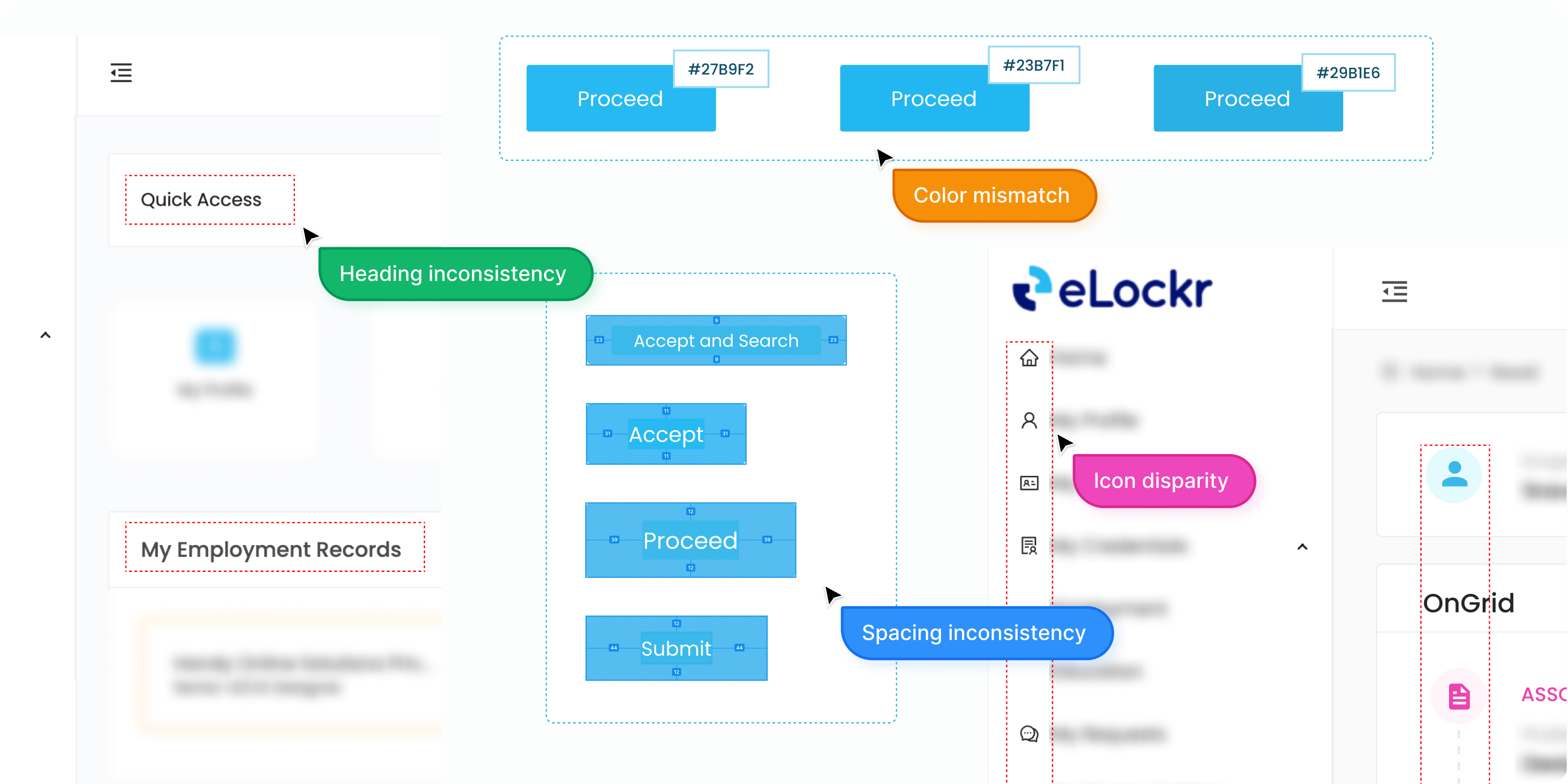
A single number scale — 2, 4, 6, 8, 12, 16, 20, 24, 32, 40 — drives all padding, gaps, and margins. If a measurement isn't on the scale, it's wrong. The scale maps 1:1 to engineering CSS variables, so space-16 is always 16px with no lookup.
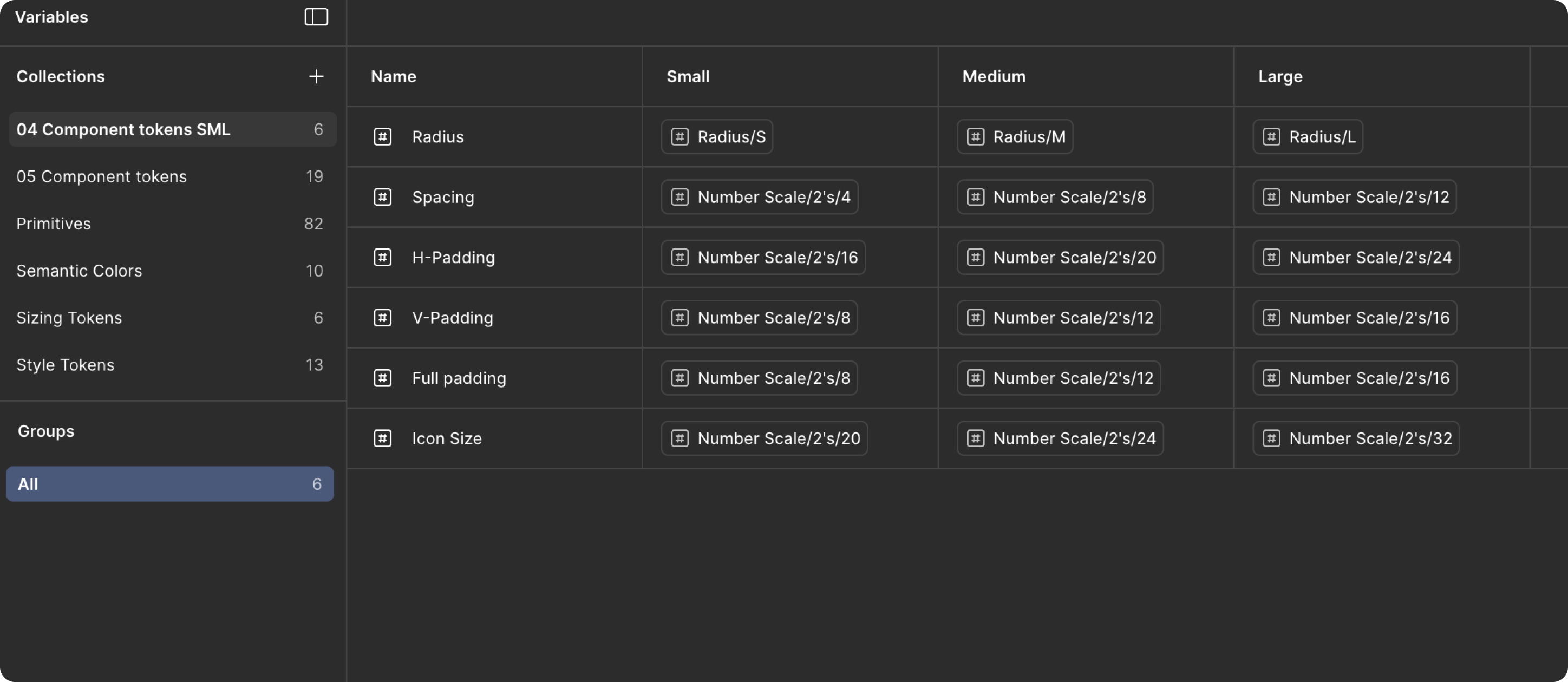
Corner radius — T-shirt sized for optical consistency
Smaller elements get smaller radii so curvature looks optically consistent across scales. M (8px) is the workhorse for buttons and inputs. Full (999px) for pills, badges, and avatars.
XS4px
S6px
M8px
L12px
XL16px
Full999px
Elevation — reserved for things that float
Five levels. Most of the UI lives flat at level 0 with borders. Shadows are reserved for elements that genuinely float: dropdown menus (M), toasts (L), modals (XL). Elevation communicates hierarchy — not decoration.